
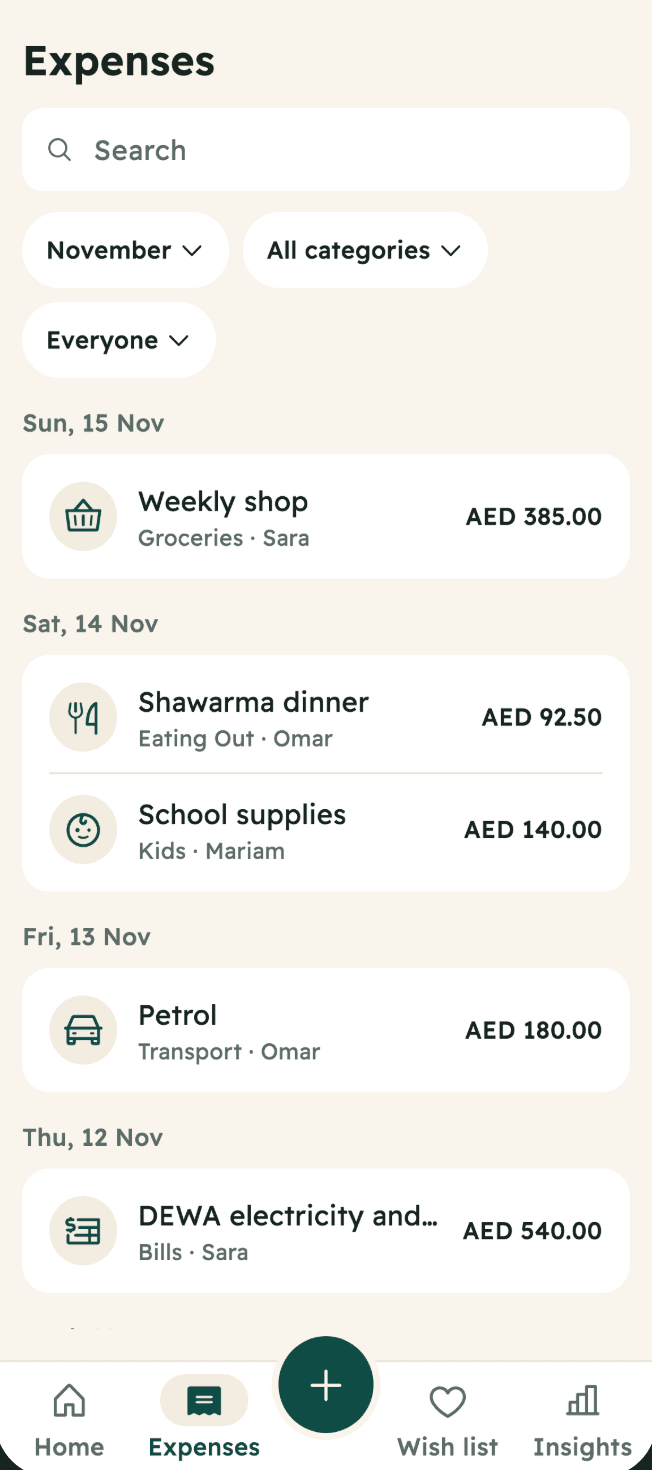
One list for the family
Every expense in one place. Filter by category, member or month, and edit or delete your own any time.
Free · No ads · English and العربية
Sarf is an expense tracker made for families. Log what you buy in a few seconds, and Sarf shows you what you spend the most on, so you can plan next month.
Coming soon to Google Play and the App Store.
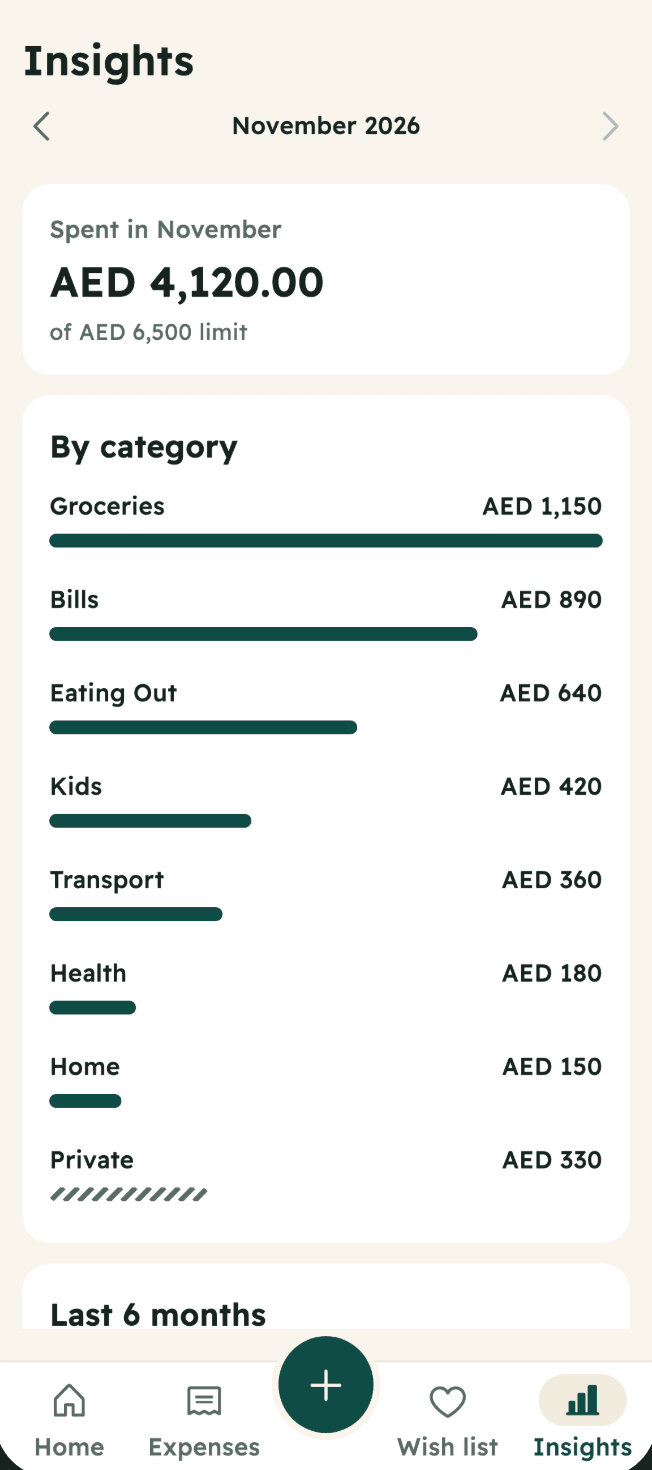
Insights
Every expense you log lands in one clear picture. Tap any number to see the expenses behind it.
Groceries, bills, eating out. See which ones take the most.
Who logged what, without blame. Private expenses show as one line.
The last 6 months side by side, so you see what changed.
Spent in November
AED 4,120.00
Last 6 months
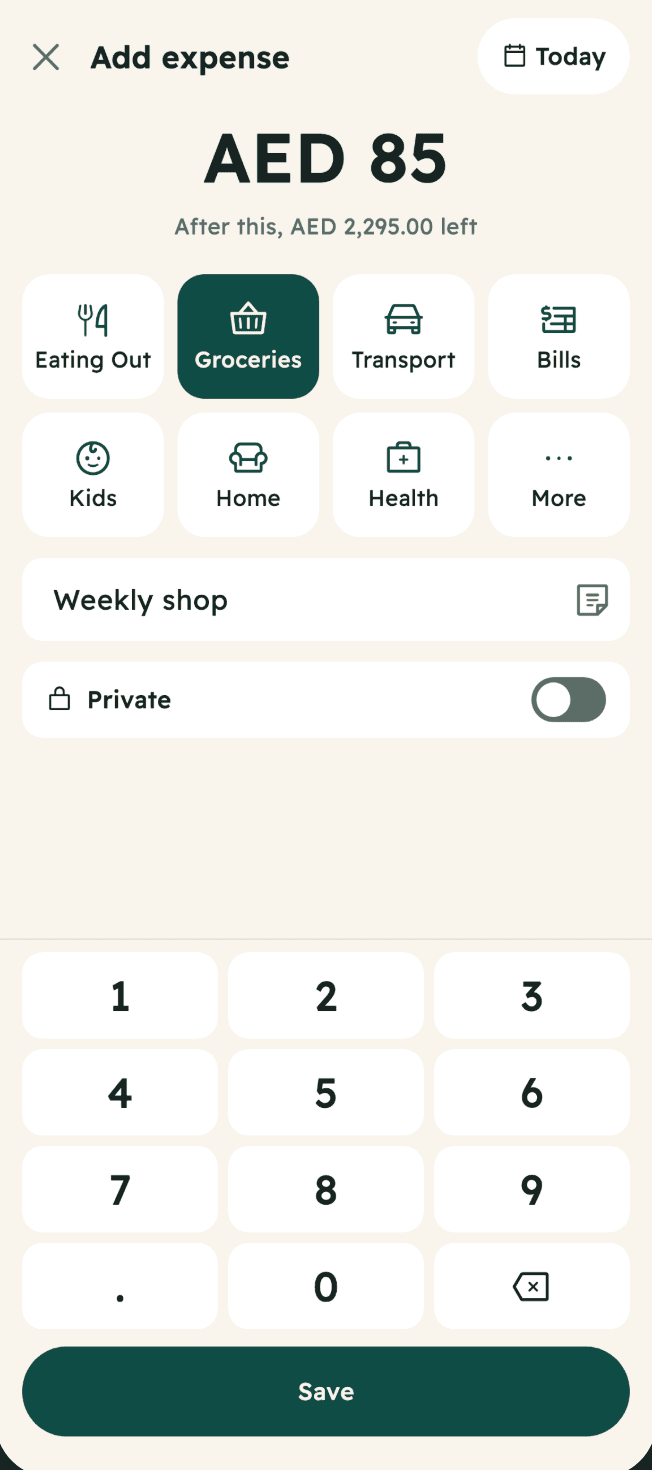
How it works
Amount first, on a keypad made for it.
This is what makes the picture clear later. A name and a note are optional.
The whole family sees it. No internet? Sarf keeps it on your phone and sends it when you are back online.
Categories to start with
Plan
Once you know where the money goes, set one monthly limit and limits for the categories that matter. Start your month on payday, any day from the 1st to the 28th. Sarf keeps count of what is left as you go.
The saffron part of the meter is the money still left.
From 80% used, Sarf says so with a gauge and plain words.
You can still log. Sarf tells you how much over, calmly. No red banners.
AED 2,380.00
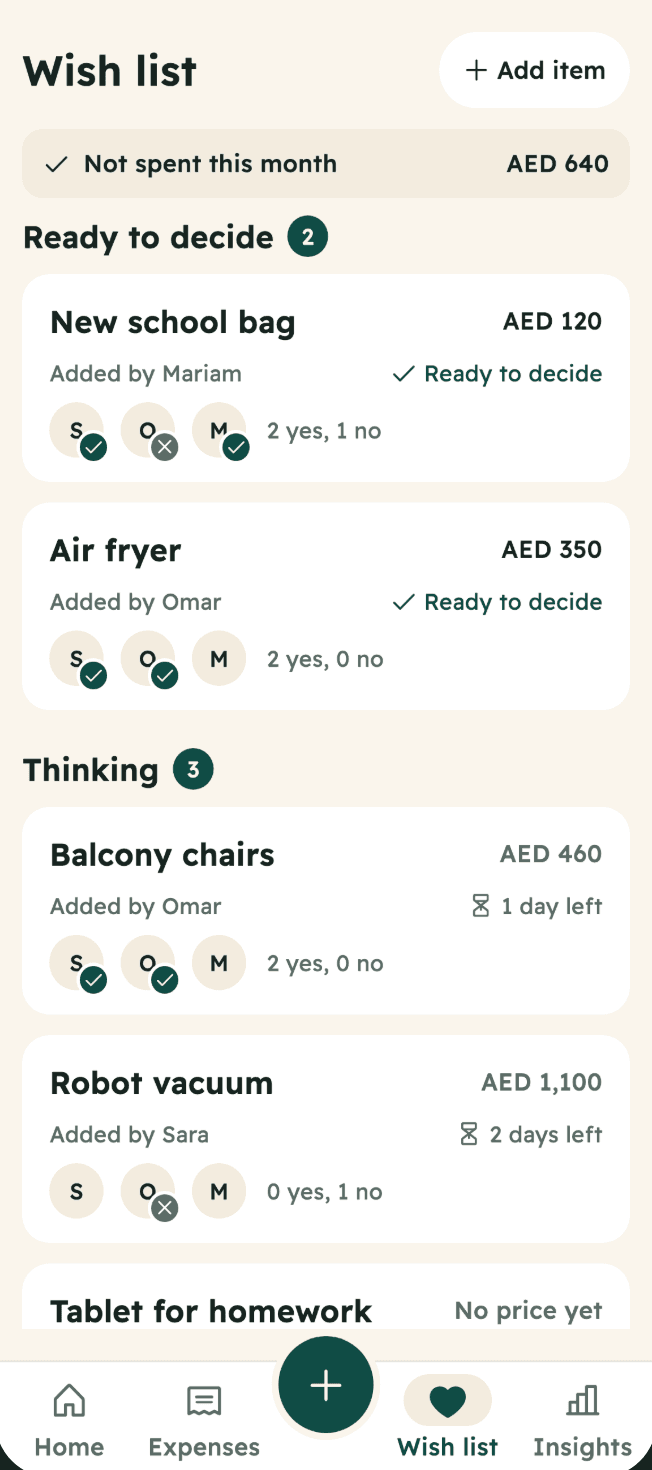
Wish listنشتريه؟
Put what you want on the family Wish list. Sarf adds a pause before you decide, 3 days by default. Everyone votes Yes or No and sees what the month would look like if you bought it.
A few days to be sure it is worth it.
Sarf fills in the expense for you.
It counts as not spent this month.
Projectsالمشاريع
A trip, a move, a wedding, Ramadan or a renovation. Put its expenses and Wish list items in one project and see the total in one place. Planned items get the same pause before you buy.
Add an expense or a Wish list item to a project when you log it.
See what the whole thing costs: spent, planned and left.
The Owner can keep a project out of the monthly limits, like a trip out of the everyday month.
AED 3,240 spent of AED 5,000 planned
Not counted toward limits
Made for a family
Every expense in one place. Filter by category, member or month, and edit or delete your own any time.
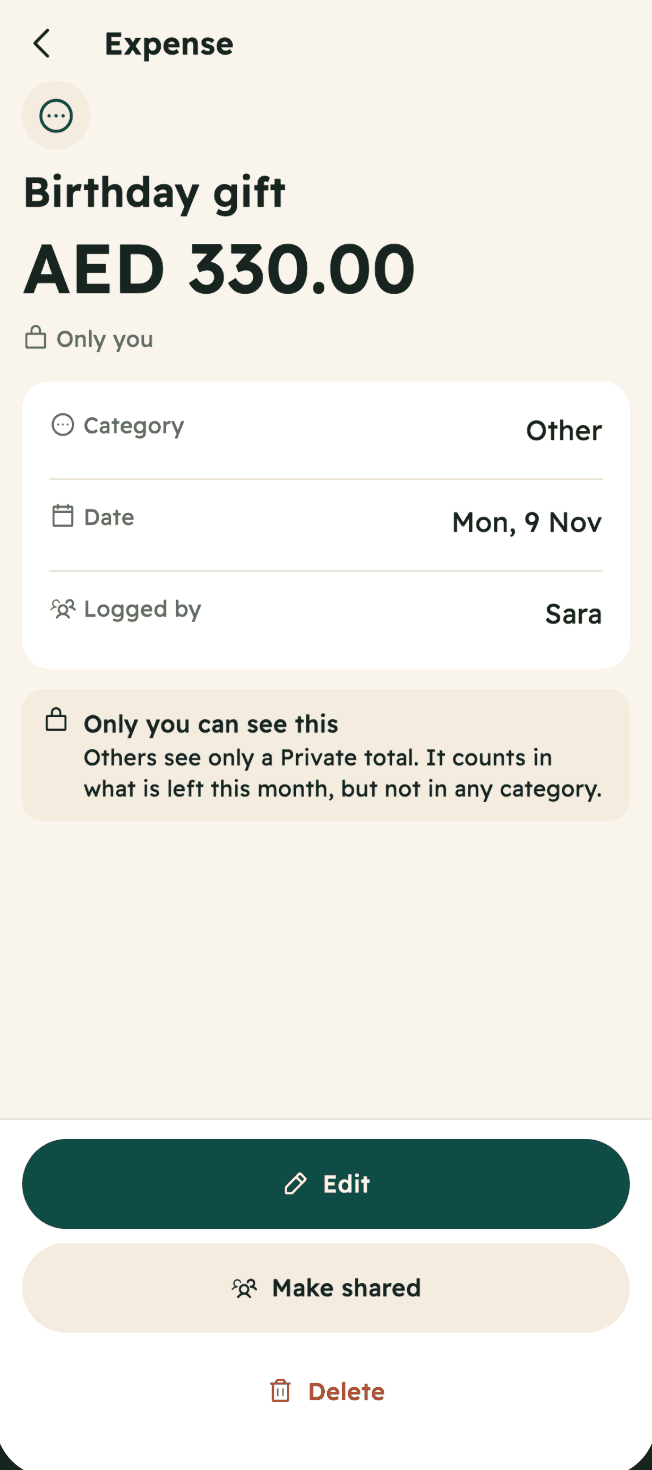
Only you see what it is. Everyone else sees one line called Private, and the amount still counts, so the family's picture stays true.
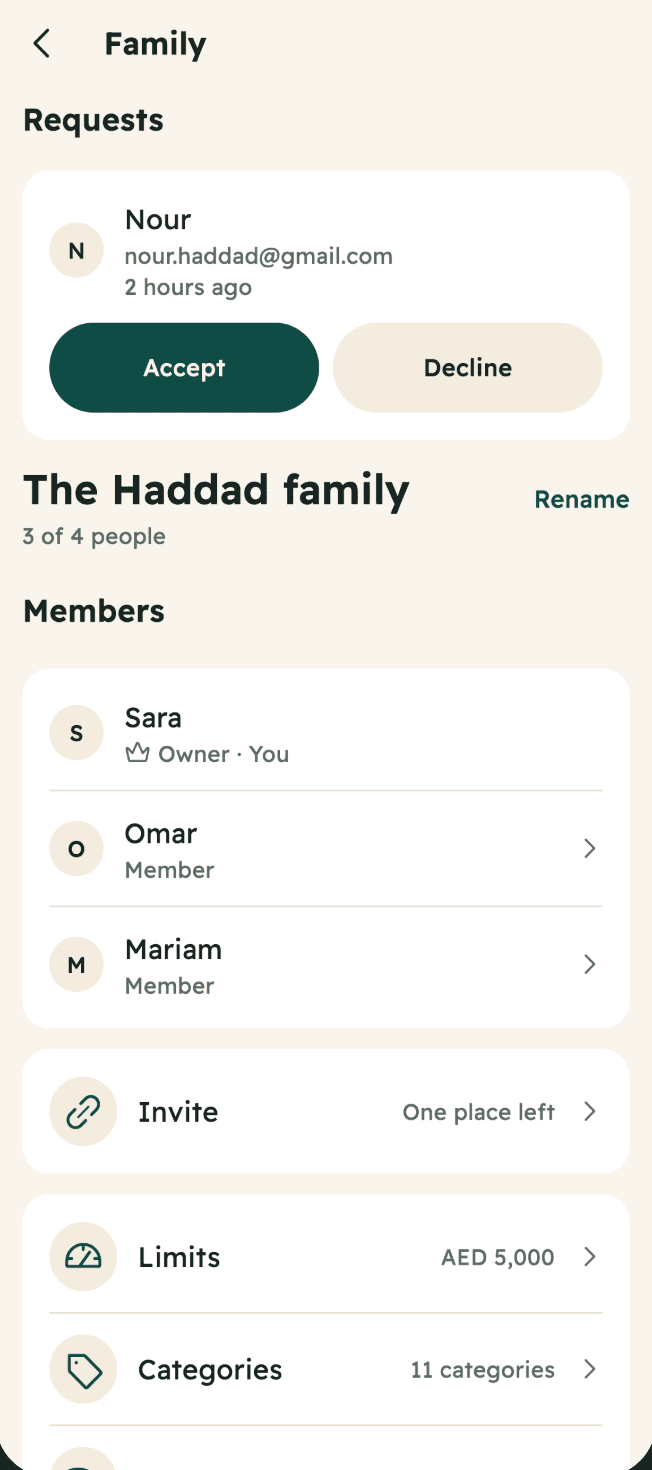
Share a link or a short code on WhatsApp. Each person sends a request, and the Owner accepts or declines. A leaked code lets nobody in on its own.
Privacy
Sarf only knows what you log. That is all it needs.
No cards and no accounts to link. You log what you buy, and Sarf does the sums.
Sarf is free. It shows no ads and never sells your personal information.
You sign in with your Google account.
Delete your account in the app or on our website.
Full right to left Arabic and English, in light and dark. Any currency.
No alarms and no scolding. Sarf says what is true, then stops.
No. There is no bank connection. You log what you spend yourself.
A few seconds. Amount first, one tap for the category, then save. It still works when you're offline, and sends the expense once you're back online.
Yes. Up to 4 people log into one shared space and see the same picture.
Yes. Mark it private and only you can see it. The amount still counts in the family total, so the numbers stay true. Good for a surprise gift.
You pick one currency when you start, such as AED, SAR, KWD, QAR, EGP or USD. There is no conversion.
Yes, it's coming soon to the App Store, along with the Android app on Google Play.
Yes. Sign in with Google and start. You can invite others any time.
Sarf is free, and it has no ads.

Free, with no ads, in Arabic and English.
Coming soon to Google PlayComing soon to Google Play and the App Store.